
Leave Management Overview
Apply for leaves, track real-time approval status, view balances, and check company holiday calendars.
Overview
Leave Management streamlines leave requests and approvals across your company. Employees can view remaining leave balances, submit leave applications in seconds, attach supporting documentation, and track manager responses in real time.
Watch & Learn
Leave Management Video Tutorial
Watch how to apply for leave, check real-time approval status, and manage leave balances in HRism.
How It Works
Employees submit a leave request specifying dates and leave type. HRism automatically checks policy entitlement balances, routes the request to their reporting manager's approval inbox, and updates balances upon decision.
Select Leave Type
SelectChoose Paid, Sick, Casual, or Unpaid Leave.
Set Date Range
DatesPick start and end dates with half-day options.
Submit Request
PendingApplication reaches manager approval inbox.
Manager Review
ReviewReporting manager approves or rejects request.
Balance Updated
ApprovedApproved dates deduct from quota automatically.
Step-by-Step Instructions
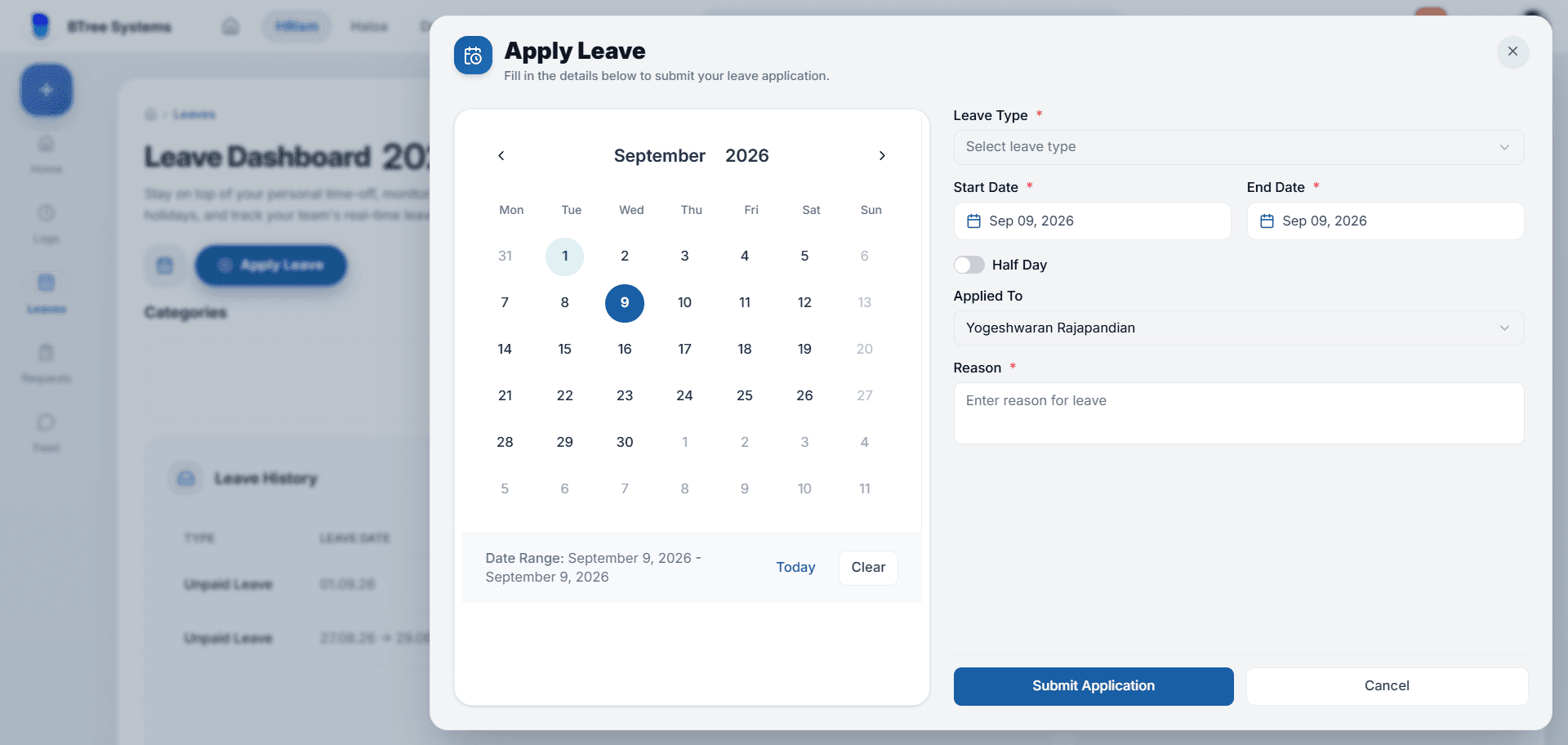
Open Leave Portal
Access Leave Management from the main navigation menu or your dashboard summary card.
Select Leave Category
Choose between Annual Paid Leave, Sick Leave, Casual Leave, or Unpaid Leave.
Specify Start & End Dates
Use the calendar picker to select your leave dates, specifying full-day or half-day options.
Add Reason & Notes
Include a brief note for your reporting manager explaining the time off request.
Track Approval Status
Monitor your application status (Pending, Approved, Rejected) in real time.
Important Information
Pending Balance
Pending leave requests reserve entitlement count but do not finalize deduction until manager approval.
Public Holidays
System-configured public holidays occurring within your date range are automatically excluded from leave deductions.
Advance Notice
Planned annual leaves should be submitted at least 5 working days in advance as per HR policy.