
Introduction to HRism
Overview of HRism by Rayy Software, key modules, user roles, and navigating your workspace.
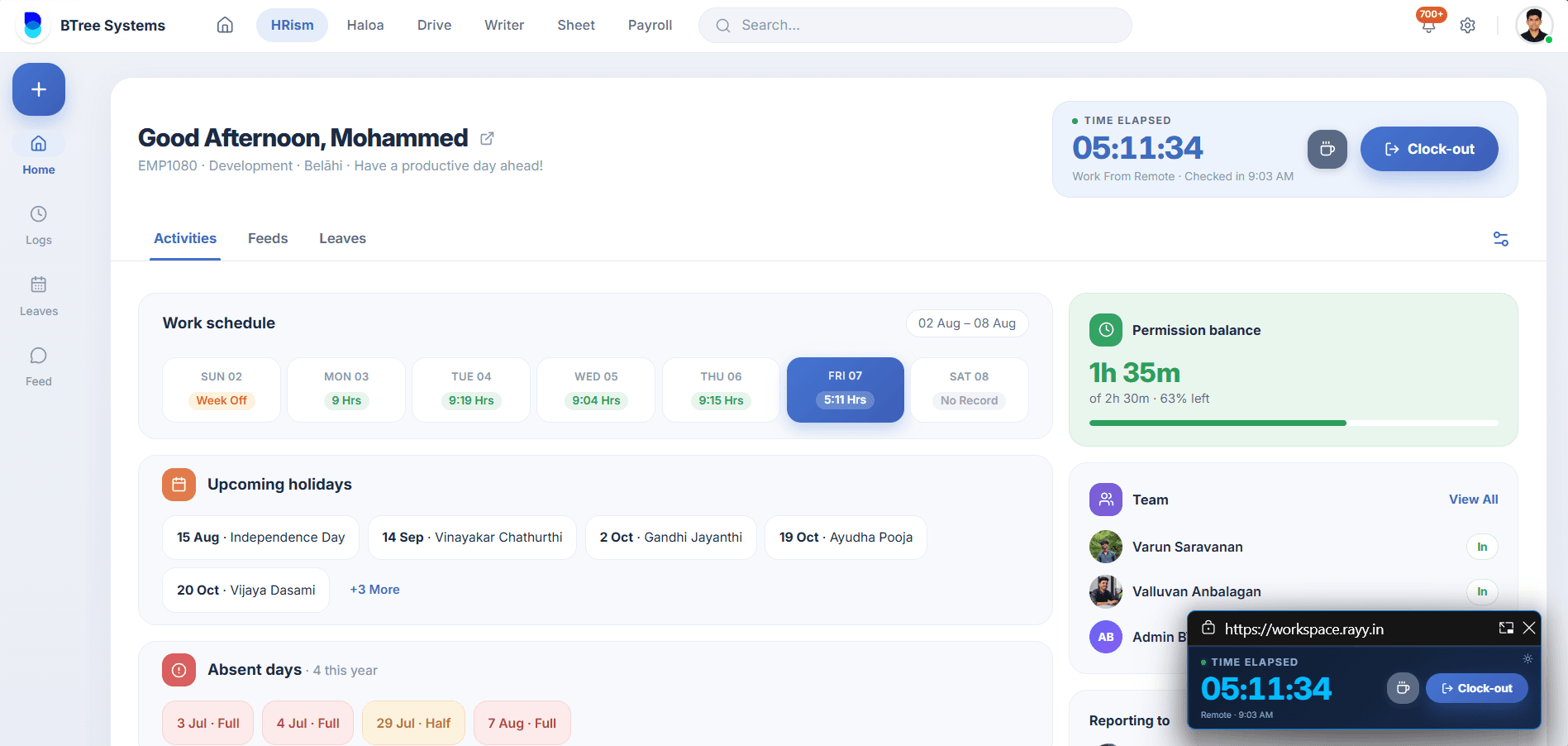
Overview
HRism is an intuitive human resource management platform designed by Rayy Software to streamline daily work life. From attendance tracking and leave management to live GPS location and expense reimbursements, HRism keeps employees and managers aligned in one calm workspace.
How It Works
Whether accessing via web browser or native mobile app, employees interact with self-service cards while managers view live status rosters, team feeds, and analytical reporting consoles.
Sign In
Authenticate with corporate credentials.
Dashboard Overview
View active timers and quick balances.
Self-Service
Check in, apply for leave, or submit claims.
Manager Sync
Real-time updates sync across your team.
Step-by-Step Instructions
Log into your account
Access HRism with authorized work email credentials via desktop or mobile.
Explore your Dashboard
View active shift timer, quick leave balances, and pending tasks.
Complete your Profile
Configure department preferences, emergency contacts, and notifications.
Important Information
Browser Compatibility
HRism is optimized for Chrome, Safari, Firefox, and Edge browsers.
Single Sign-On
Contact IT administration if SSO login is enforced for your organization.