
How to Apply for Leave
Step-by-step instructions on submitting a leave request, selecting dates, and attaching notes.
Read time: 2 min read•Updated: 2026-09-02
Overview
Applying for leave in HRism takes less than 30 seconds. Choose your leave category, set dates, add notes, and submit.
Step-by-Step Instructions
Step 1
Step 1
Click Apply Leave
Click the Apply Leave button on the top right of the leave dashboard.
Step 2
Step 2
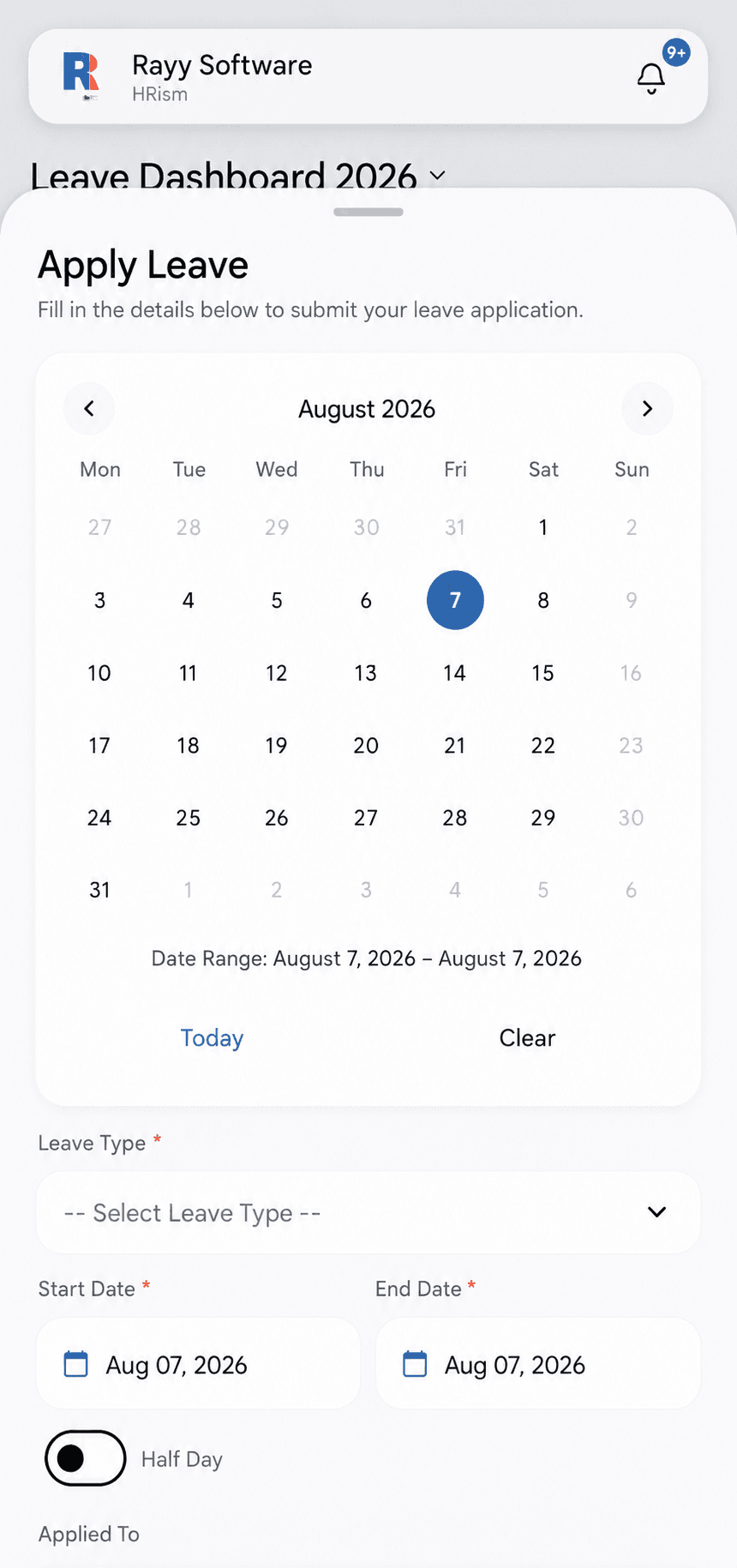
Choose Leave Type
Select Paid Leave, Sick Leave, or Casual Leave from the dropdown menu.
Step 3
Step 3
Select Dates
Pick your start and end dates. Specify half-day if applicable.
Step 4
Step 4
Submit Application
Click Submit. Your manager will be notified instantly.
Frequently Asked Questions
Yes, select the Half-Day checkbox and pick First Half or Second Half.