01
Overview
Rayy LMS (the “App”) is a learning management app from Rayy Software (“Rayy”, “we”, “us”). It lets students and trainers of an institute that uses Rayy LMS view their classes, join live sessions, watch recordings, mark attendance, submit and review assignments and assessments, and receive updates.
This policy explains what information the App handles, why, who sees it, and the choices you have. It applies to the Rayy LMS mobile app on iOS and Android. Our general Privacy Policy covers our website and other products.
In short: we collect only what is needed to run your classes, we do not sell your data, and the App contains no advertising and no analytics or tracking SDKs.
02
Who Is Responsible for Your Data
The App does not let you sign up on your own. Your account is created by the institute or organization that enrolled you or hired you as a trainer (your “Institute”), and the academic, attendance, grade and fee records in the App belong to that Institute’s Rayy LMS workspace.
For that information, your Institute decides what is collected and why, and Rayy acts as its service provider, hosting and processing it on the Institute’s behalf. For the technical data the App itself generates (device report, notification token, server logs), Rayy is responsible. For questions about your records, your Institute is usually the right first contact; you can always contact us too.
03
Information We Collect
What you see depends on your role and on the features your Institute has turned on. Not every item below applies to every user.
Account & sign-in
The sign-in credentials issued by your Institute. Your password is sent to our server over HTTPS to sign you in and is never stored on your device.
Profile details
Details your Institute may record, such as date of birth, address, educational background, pass-out years, percentage and IT experience.
Learning & academic records
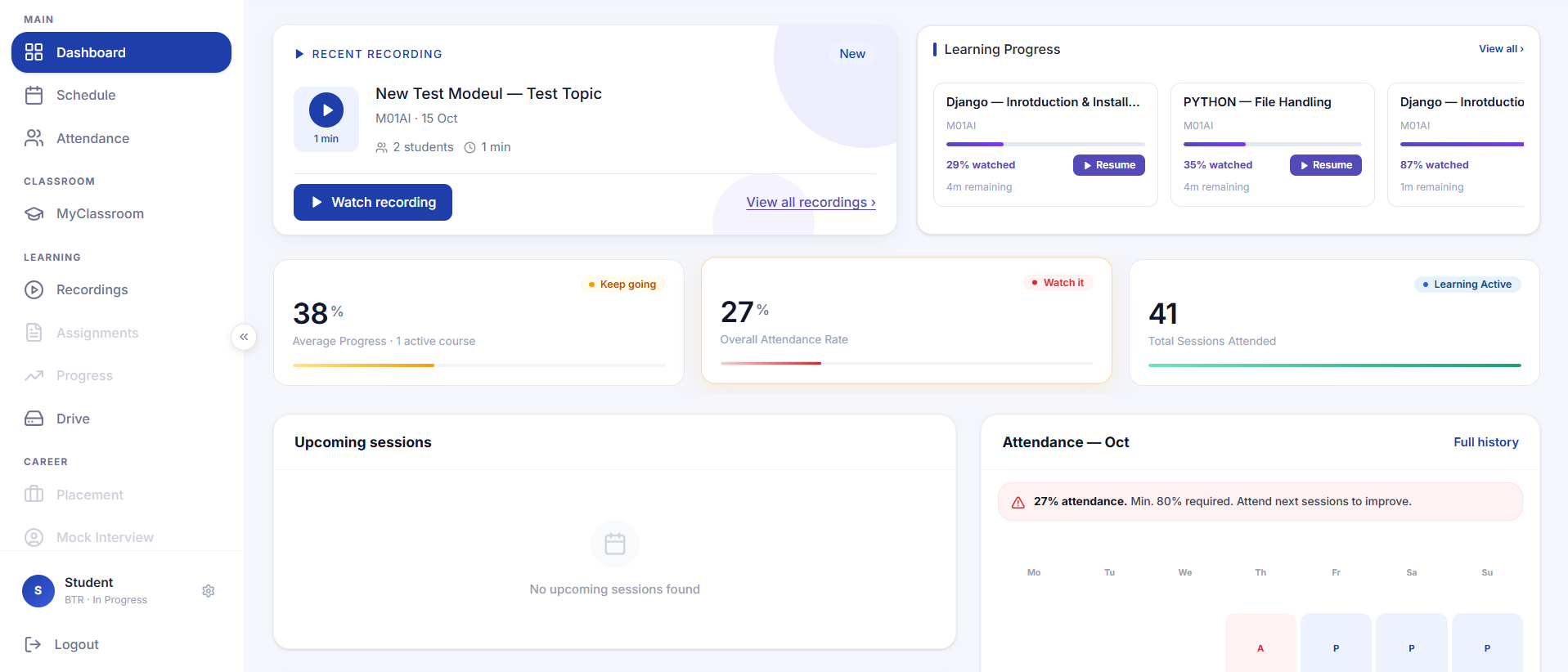
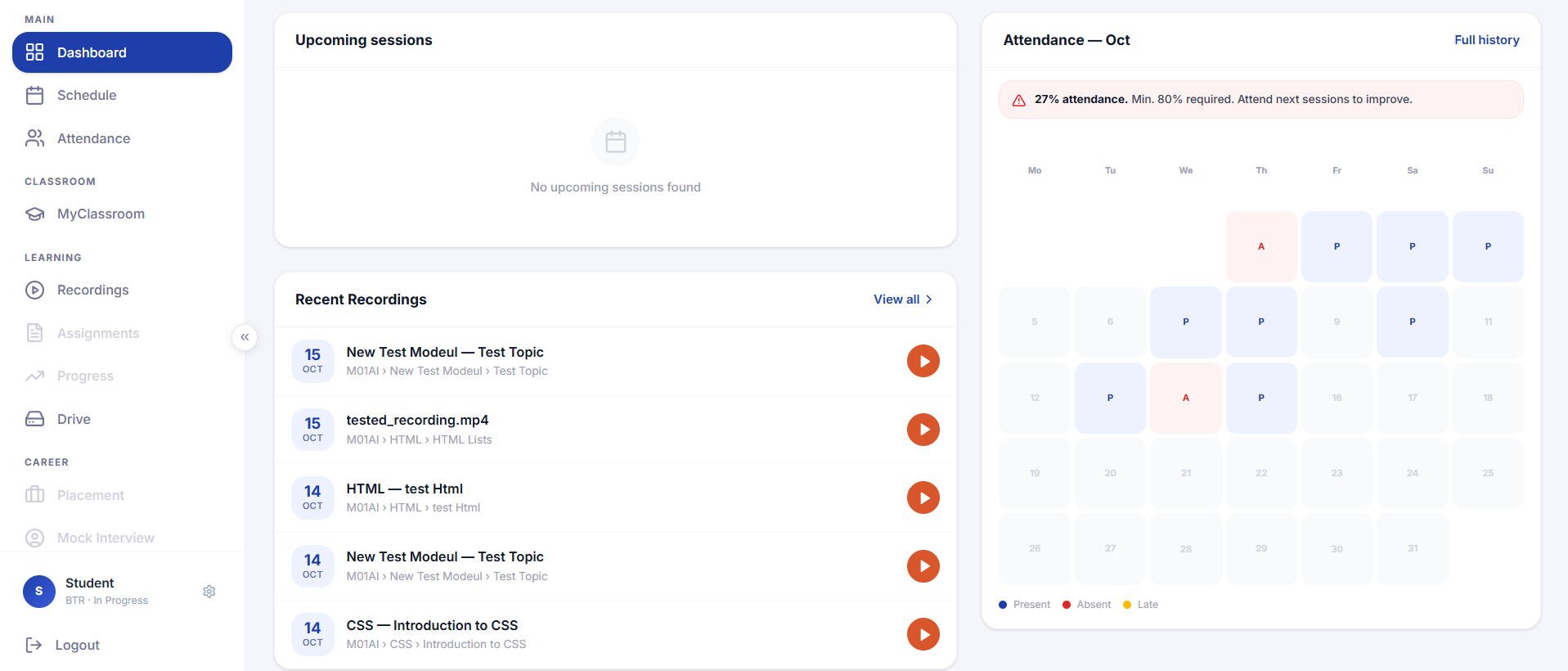
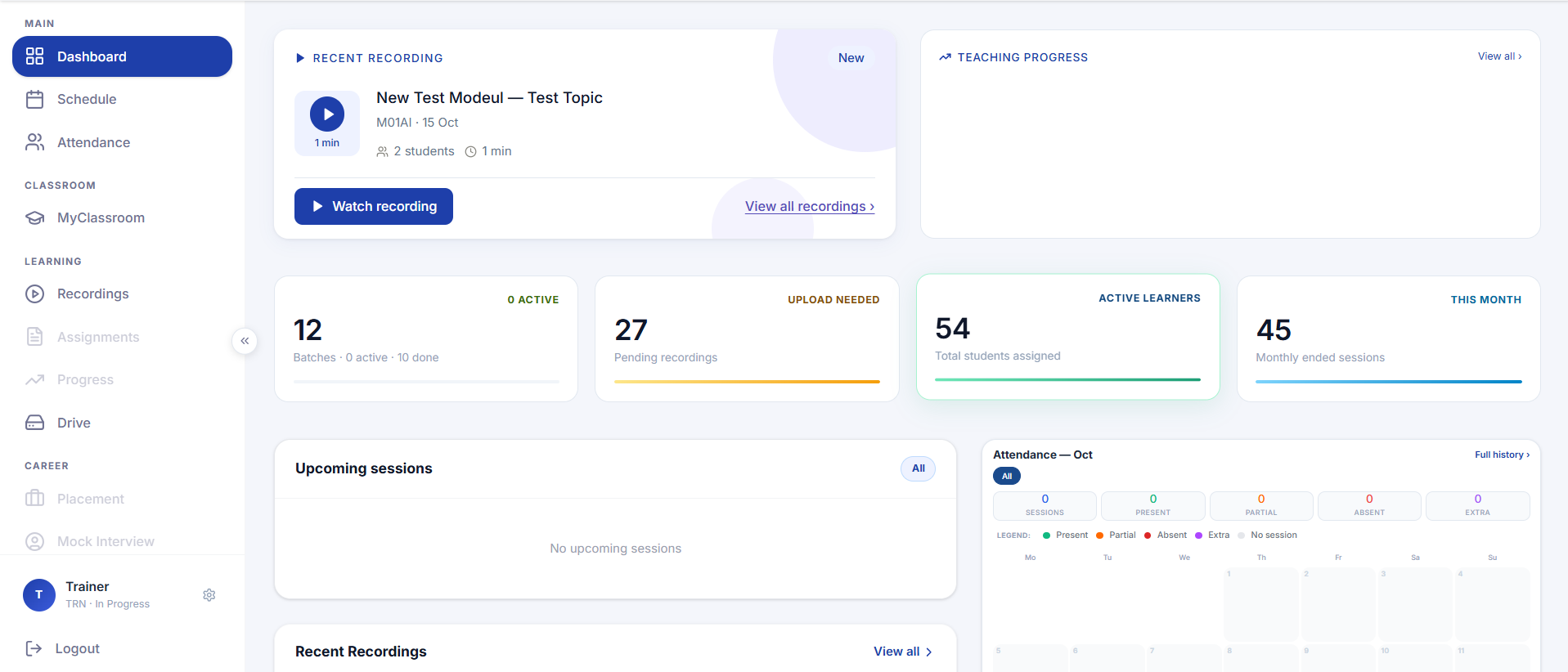
Your course, batch, trainer, schedule, live-session and recording history, attendance, assignments and submissions, assessment attempts and results, grades, class notes and materials, and posts or comments in your class stream.
Fee & payment status
If your Institute enables fees, your fee or EMI schedule and what is due. Payments are handled by your Institute; the App does not collect card or bank details.
Files you add
A profile photo you pick or take, and files, links, YouTube or Google Drive attachments you add to assignments or class posts. Files in the Drive area belong to your Institute’s workspace.
Device & technical
When you sign in and use the App, it sends a device report: a device identifier (Android ID or iOS identifier-for-vendor), manufacturer and model, OS version, and app version.
04
Device Permissions
The App asks for the following permissions, only when the related feature is used:
Camera
Used only when you choose to scan an attendance QR code or take a new profile photo. Images from the QR scanner are processed on your device to read the code; the camera is not used in the background and nothing is recorded.
Photo library
Used only when you choose to pick an existing photo as your profile picture. The App can access only the photo you select.
Notifications
Used to show class reminders, chat messages and updates. You are asked for permission and can turn notifications off at any time in your device settings.
Network access
Needed to sign in, load your classes and stream recordings. The App also shows an offline badge when no connection is detected.
You can change or withdraw any permission in your device settings. Declining a permission only disables the feature that needs it.
05
How We Use Information
- Sign you in and keep your session secure
- Show your classes, schedule, recordings, attendance, assignments, assessments, grades and fee status
- Let trainers run sessions, mark attendance and review student work
- Deliver class reminders, chat messages and other notifications
- Keep the App working on your device and require an update when a critical one is needed
- Provide support, diagnose problems and prevent misuse
- Meet legal obligations and enforce our agreements
We do not use your information for advertising, profiling for ad targeting, or any purpose unrelated to operating and supporting Rayy LMS.
06
Push Notifications
If you allow notifications, the App registers your device token with our servers so we can send you messages through Firebase Cloud Messaging and, on iOS, the Apple Push Notification service. Notifications may include class and session reminders, new chat messages and academic updates. When you sign out, the App asks our servers to remove your device token.
07
Storage on Your Device
- Sign-in tokens are kept in the iOS Keychain or Android Keystore (encrypted storage). Your password is never saved.
- A local cache of your dashboard, profile, schedule, recordings list and similar data is stored in an on-device database so the App opens quickly and stays usable offline.
- Display preferences, such as theme and text size, are stored locally.
Signing out clears your cached data and stored sign-in tokens from the device. Uninstalling the App removes everything it stored locally.
08
Data Sharing
We share information only when necessary:
- With your Institute and its authorized staff and trainers, who see the records of the learners and classes they manage
- With your trainer and classmates, limited to what a class feature shows, such as names and posts in a class stream or the attendance list
- With service providers that host our infrastructure and deliver notifications, under obligations to protect your data
- When the law requires it, or to protect the security, rights and safety of users, our Institutes and Rayy
Rayy does not sell your personal information.
09
Third-Party Services
- Firebase Cloud Messaging (Google) and the Apple Push Notification service deliver push notifications. They receive your device token and the notification content.
- Live-class platforms such as Zoom or Google Meet. Tapping “Join Session” opens the meeting link in that provider’s app or in your browser, where its own privacy policy applies.
- Links and attachments to YouTube, Google Drive or other websites open outside the App, where those services’ own privacy policies apply.
10
No Ads, No Tracking
The App contains no advertising and no analytics or tracking SDKs. We do not use your information for advertising, profiling for ad targeting, or any purpose unrelated to operating and supporting Rayy LMS.
Rayy does not sell your personal information.
11
Data Security
- Your password is sent to our server over HTTPS to sign you in and is never stored on your device.
- Sign-in tokens are kept in the iOS Keychain or Android Keystore (encrypted storage).
- Signing out clears your cached data and stored sign-in tokens from the device.
- Service providers that host our infrastructure and deliver notifications do so under obligations to protect your data.
12
Data Retention
The academic, attendance, grade and fee records in the App belong to your Institute’s Rayy LMS workspace, and your Institute decides what is collected and why.
On your device, signing out clears your cached data and stored sign-in tokens, and uninstalling the App removes everything it stored locally. When you sign out, the App also asks our servers to remove your device token.
13
Account & Data Deletion
Your account is created by your Institute; the App does not let you sign up on your own. For questions about your records, your Institute is usually the right first contact.
You can also contact us at support@rayysoftware.com about privacy, data requests and account deletion.
14
Your Rights
If you have questions about this policy or want to use your rights regarding your information, contact your Institute or reach us using the details in the Contact Us section below.
15
Children’s Privacy
Rayy LMS is built for learners and trainers of training institutes and academies, and is not directed to children under 13. Rayy does not knowingly collect information from children under 13 on its own initiative. If an Institute enrols a minor, it is responsible for obtaining any parental consent the law requires. If you believe a child’s information was provided without proper consent, contact us and we will act on it.
16
International Data Transfers
Rayy Software is based in India. Your information may be processed and stored on servers in India or in other countries where our providers operate, including for push-notification delivery. Where this happens, we take steps to keep it protected consistently with this policy and applicable law.
17
Changes to This Policy
We may update this policy as the App or the law changes. The “Last updated” date above shows the latest revision. For significant changes we will notify you in the App or through your Institute where appropriate.
Last updated: October 16, 2026
18
Contact Us
Questions about this policy, or want to use your rights? Reach us here.
Rayy Software
Rayy Software, 96 VSI Functional Road, Perungudi, Chennai 600096, India
Rayy LMS web interface
Screenshots of the Rayy LMS web interface showing the kind of learning information described in this policy.